Record a clean baseline
Use one Canary build, one game version, one save point and one graphics profile. Note existing crashes, missing effects and shader stutter.
Graphics backend comparison
For most modern Windows and Linux systems, Vulkan is the best first test because it usually offers lower driver overhead and smoother performance. OpenGL remains a valuable fallback when one game shows Vulkan-only artifacts, driver crashes, or regressions. Choose the backend that renders correctly and stays stable in the same repeatable scene.
$ baseline: same scene
$ change: backend only
$ compare: pacing and accuracy
$ rollback: keep the stable result
Independent guide. Results vary by GPU, driver, operating system, game and Ryujinx Canary build.
Use one Canary build, one game version, one save point and one graphics profile. Note existing crashes, missing effects and shader stutter.
Install a current stable driver from NVIDIA, AMD or Intel before blaming the graphics backend, then restart the computer.
Run the same scene through shader compilation, camera movement and a busy area. Watch frame pacing, artifacts and stability, not only FPS.
Change Vulkan to OpenGL without changing resolution scale, VSync, mods or game updates.
Choose the backend that finishes the same test without visual errors or crashes, and save notes for future comparisons.
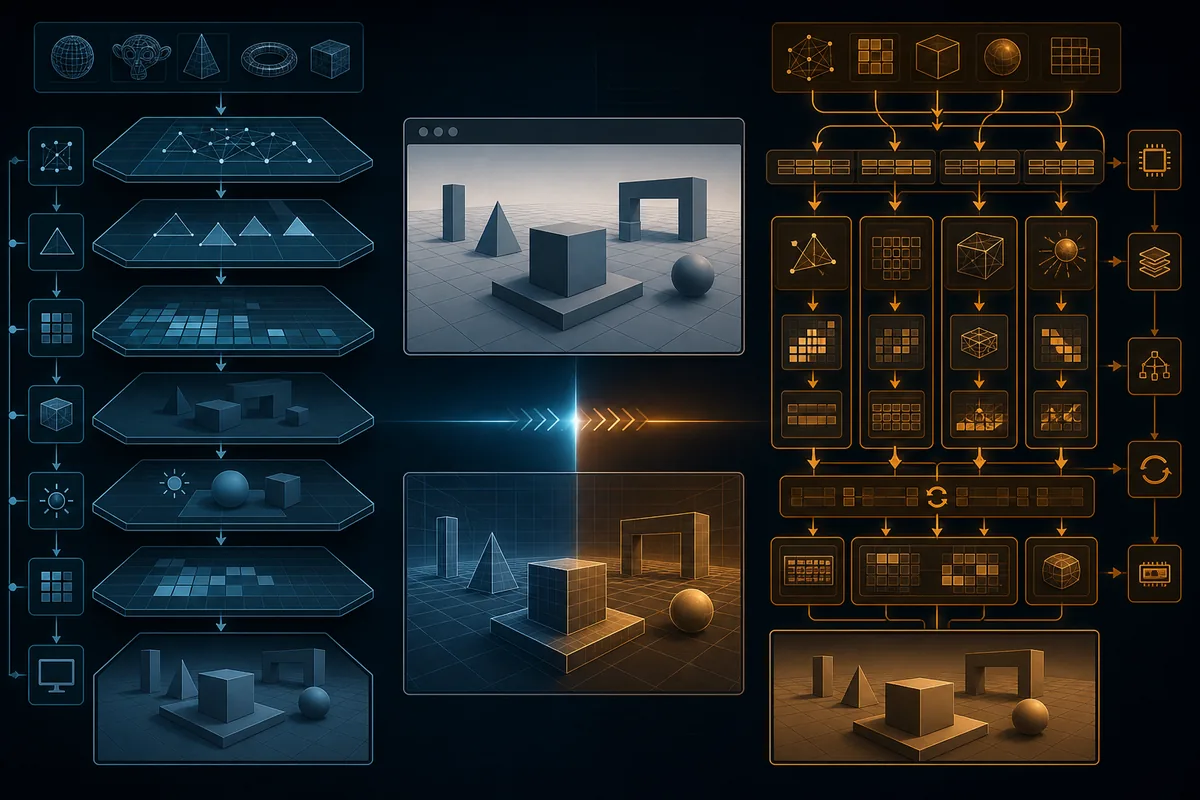
For most modern Windows and Linux systems, Vulkan is the best first test because it usually offers lower driver overhead and smoother performance. OpenGL remains a valuable fallback when one game shows Vulkan-only artifacts, driver crashes, or regressions. Choose the backend that renders correctly and stays stable in the same repeatable scene. This editorial illustration explains a controlled comparison; it is not a real emulator interface or game screenshot.
Vulkan is usually the stronger first choice on supported modern GPUs because it can reduce CPU-side graphics overhead and often produces better frame pacing. OpenGL can still be more stable for a particular game, driver branch or older system. Keep every other setting unchanged.
OpenGL and Vulkan translate the same game workload through different driver paths. Vulkan gives the emulator more explicit control, while OpenGL delegates more behavior to the driver. This can change CPU overhead, shader compilation, memory behavior, frame pacing and how bugs appear.
Vulkan is the practical default when the game renders correctly and the driver is stable. It is especially useful on CPU-limited systems, modern integrated or discrete GPUs, and Linux or Steam Deck setups with current drivers.
Choose OpenGL when a problem appears only under Vulkan and survives a clean restart, driver check and mod-free test. Examples include missing effects, flickering geometry, corrupted textures, black screens after menus or repeatable device-loss crashes.
Keep the game build, save, location, camera path, resolution scale, VSync and mods identical. Test each backend twice: the first pass may compile shaders, while the second pass better reflects warmed-cache behavior. Reject a faster result if it introduces artifacts or crashes.
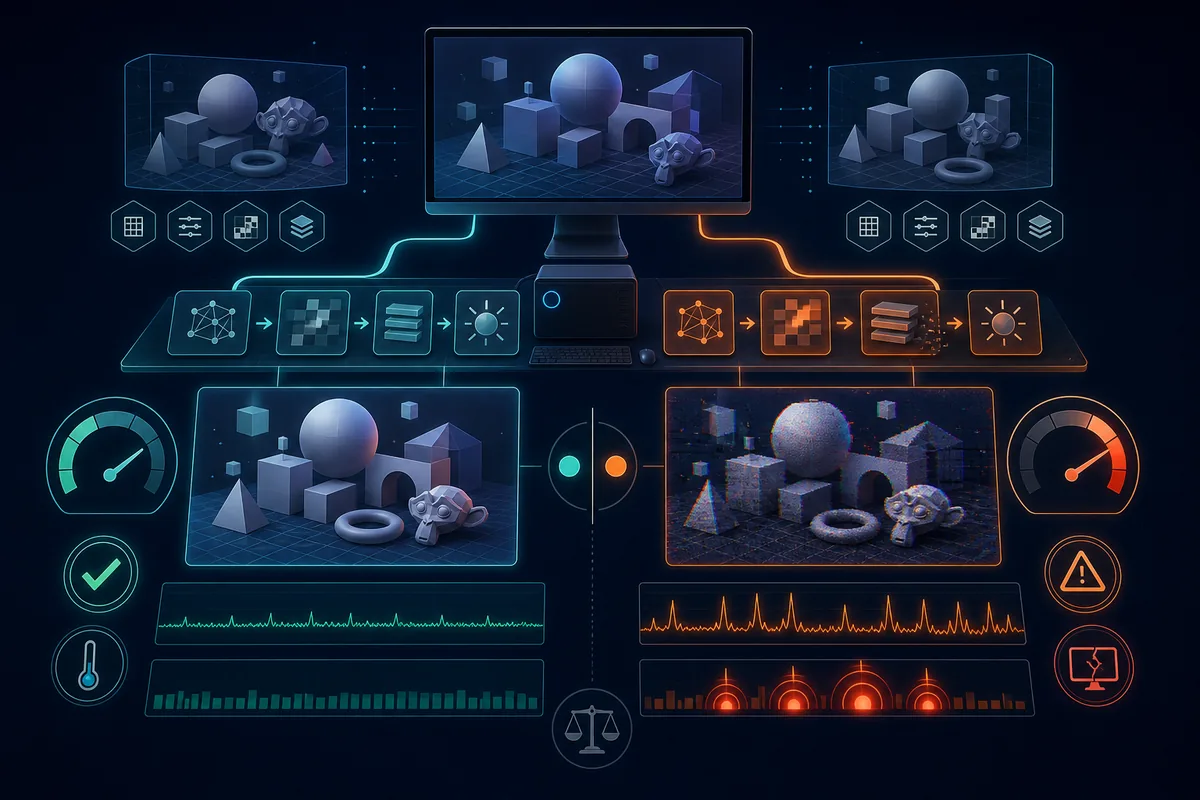
Windows users should compare current vendor drivers and confirm the active GPU on laptops. Linux and Steam Deck users should record Mesa or proprietary-driver versions and keep the same power profile. On macOS, follow the current project documentation rather than forcing Windows advice.
If the new backend creates corrupted graphics, a black screen, severe stutter or a repeatable crash, return to the previous backend, restart the emulator and retest the same scene. If both backends fail, investigate the driver, compatibility, shader cache, mods and Canary build.
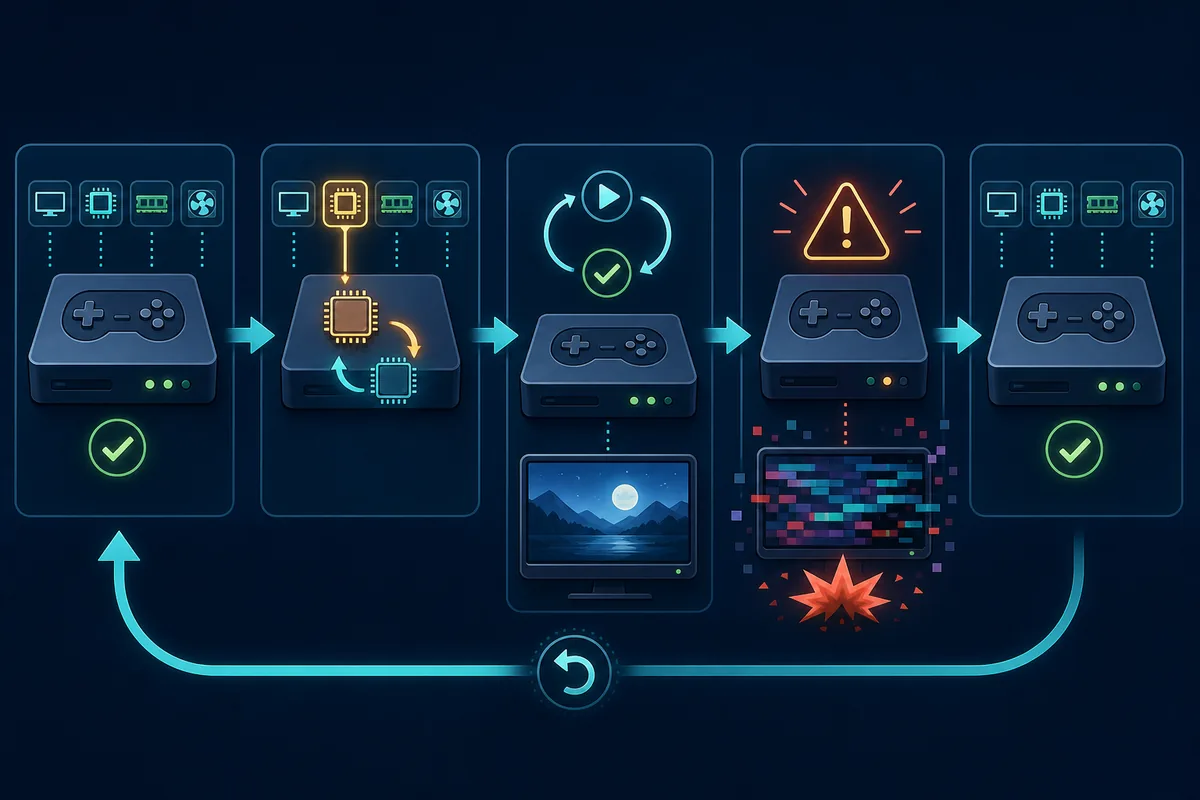
A backend switch cannot supply missing prod.keys, install firmware, repair a bad game dump, make an unsupported game compatible or guarantee 60 FPS. Do not combine backend, resolution scale, cache deletion, mods and driver changes in one test.
Independent guide. Results vary by GPU, driver, operating system, game and Ryujinx Canary build.
No. Vulkan is often faster or smoother on modern systems, but results depend on the game, GPU, driver, operating system and Canary build. Stability and rendering accuracy matter more than a small FPS lead.
Start with Vulkan on a current GPU driver. Switch to OpenGL only when the same game has repeatable Vulkan-specific artifacts, freezes or crashes.
The first pass may compile shaders and build caches. Repeat the same route before comparing backends.
Sometimes, if the black screen is caused by a driver or backend-specific rendering bug. If both backends fail, check compatibility, drivers, mods, keys, firmware and the game dump.
No. Keep resolution scale and other graphics settings unchanged during the comparison.