Start from the project identity
Check the Ryubing organization and project website first, then follow the code or release links from those surfaces instead of starting from a random file host.
Official-source verification guide
Ryubing Canary is the fast-moving Canary channel associated with the community-maintained Ryubing fork of Ryujinx. Use this guide to identify the trusted project surfaces, understand why Canary and Stable are separate channels, and avoid mirrors that bundle emulator files with keys, firmware, ROMs or other copyrighted material.
$ intent: source verification
$ channel: canary releases
$ risk: mirrors and bundled files
$ next: choose platform package
This independent guide links to trusted public sources. It does not host emulator binaries, keys, firmware, ROMs, updates or DLC.
Use this table before clicking a download button on any Ryubing Canary page, search result or community post.
| Surface | What to verify | Why it matters |
|---|---|---|
| Ryubing GitHub organization | The organization describes Ryubing as a fork of the discontinued Ryujinx emulator and shows its verified project domain. | This helps separate the current community project from copycat download pages that only borrow the Ryujinx or Canary name. |
| git.ryujinx.app release assets | Canary packages should come from release asset listings, with a version tag, platform name and archive format that matches your operating system. | A release asset is easier to compare than a generic button that hides the real file host or repacks the archive. |
| Ryubing documentation | Setup, FAQ and troubleshooting notes should explain emulator setup without offering prod.keys, firmware downloads, game ROMs, updates or DLC. | Trusted docs keep emulator setup separate from copyrighted console files and reduce the chance of unsafe bundles. |
| Community mirrors or APK pages | Treat any page that promises all-in-one packages, Android APK builds, keys or games as untrusted unless the official project clearly confirms that route. | Most risky pages rank by promising convenience; the safer approach is source verification first, then platform-specific installation. |
Check the Ryubing organization and project website first, then follow the code or release links from those surfaces instead of starting from a random file host.
Choose Canary when you want recent changes and can troubleshoot regressions. Choose Stable when you need fewer update surprises.
A Windows archive, Linux AppImage or tarball, and macOS app archive are not interchangeable. Do not install a package whose platform or CPU target is unclear.
Legal keys, firmware and game dumps are separate from the emulator. A trustworthy guide should explain placement, not provide copyrighted files.
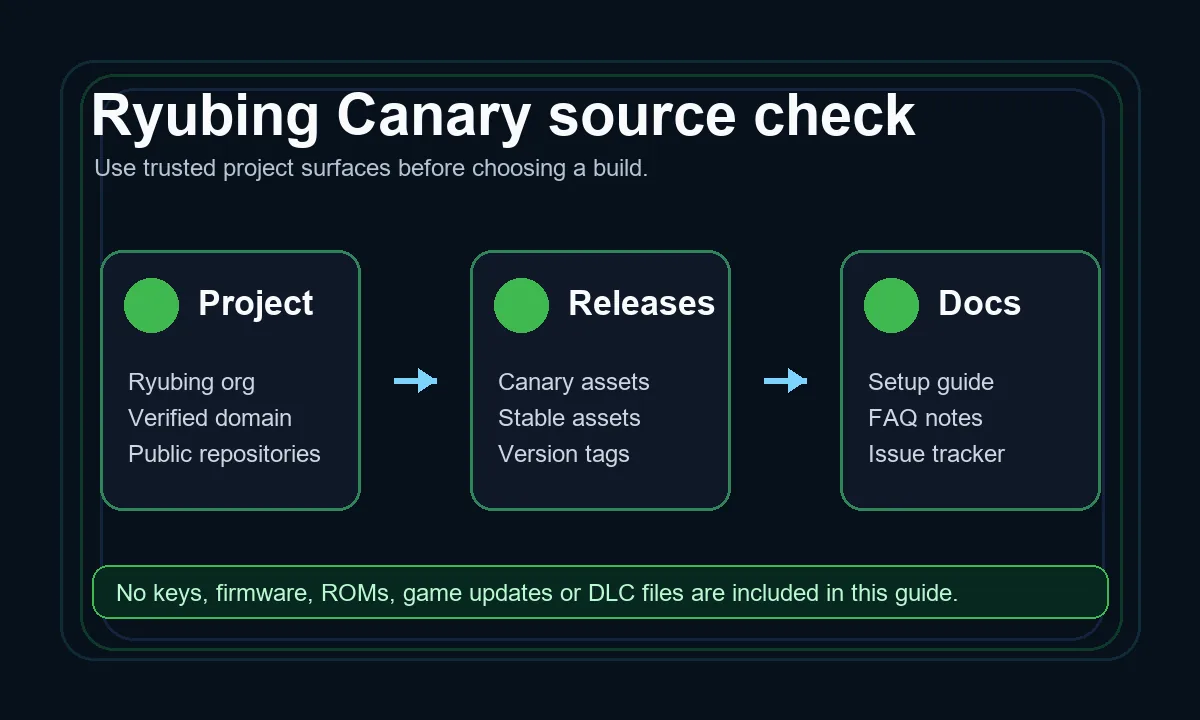
Treat Ryubing Canary as a source-checking workflow: identify the project, confirm the release surface, read the docs, then choose the platform package. This prevents a download search from turning into a mirror or bundle problem.
Open Ryubing GitHubRyubing Canary is best understood as the experimental release channel around the Ryubing continuation of Ryujinx. People search for it when they want newer emulator builds, a working release source after older Ryujinx links changed, or an explanation of whether Canary is different from Stable. The important point is that Canary is a channel decision, not a promise that every build is safer, faster or more compatible for every user. It can include fixes earlier, but it can also include regressions that Stable users avoid.
A useful Ryubing Canary download page should send you toward the release source and help you pick the correct asset. It should not hide the host, rename packages, or bundle unrelated files. The safest pattern is to verify the Ryubing project identity, open the release listing, confirm the tag and package name, then return to a platform guide for Windows, Linux, Steam Deck or macOS instructions. If a page skips those checks and pushes one large installer, treat it as a warning sign.
Use Canary if your reason is specific: you need a recent compatibility change, you are testing a bug fix, or you are comfortable rolling back after an update. Use Stable if you mainly want a calmer emulator setup, especially on a shared PC, a handheld, or a system where you do not want to diagnose graphics, audio or controller regressions. The best answer is not always the newest build; it is the channel that matches your tolerance for troubleshooting.
Release assets usually separate builds by operating system, CPU architecture and archive format. Windows users normally look for a Windows x64 archive. Linux and Steam Deck users need a Linux x64 package or AppImage, while ARM64 Linux users need a different asset. macOS users need the macOS app archive. When a file name is unclear, do not guess. Open the release page, compare the platform labels, and use the platform guide before extracting or launching anything.
Ryubing Canary does not remove the legal boundary around console keys, firmware or game content. The emulator package and your legally obtained setup files are different things. A credible guide can explain where Ryujinx Canary expects files to be placed, how to open the system folder, and why invalid files cause setup errors. It should not provide prod.keys, title.keys, Switch firmware, game ROMs, game updates or DLC downloads.
Search results often include pages that promise an easier route: direct installers, APK builds, preconfigured bundles, or files labeled as latest without showing the source. Those pages create two problems. First, they may be outdated or repacked. Second, they can mix emulator software with copyrighted material or adware-style installers. If you cannot trace the file back to a trusted Ryubing release surface, the safer move is to leave and use a verified path.
Before updating Canary, keep your previous archive, note the version you are leaving, and test one legally dumped title before changing many settings. If the new build crashes, stutters or loses controller behavior, you can compare against the previous version and decide whether the issue is a Canary regression, a driver change, a configuration problem or a bad setup file. This simple rollback habit matters more on Canary than on Stable.
This page answers the source and channel question. It does not replace the download guide, install guide, platform pages or keys and firmware page. After you verify the Ryubing Canary source, use the download page to choose the current package, use the install guide for first launch, and use the platform guide for Windows, Linux, Steam Deck or macOS-specific issues.
These sources are used for project identity, release routing and setup boundaries. The release site may use anti-bot protection, so open it in a normal browser when needed.
In current search usage, people often use Ryubing Canary and Ryujinx Canary together because Ryubing is the community-maintained continuation around Ryujinx and Canary is its faster-moving build channel. The practical task is to verify the Ryubing source before downloading.
Use Canary for newer changes and testing. Use Stable when you want fewer update surprises and do not need a recent fix.
Start from trusted Ryubing project surfaces and release listings, then choose the asset that matches your operating system and CPU. Avoid mirror pages that hide the source or bundle unrelated files.
No. Emulator packages are separate from keys, firmware, ROMs, updates and DLC. Use only files you are legally entitled to dump and do not trust pages that bundle those materials with the emulator.
Open the release page in a normal browser with JavaScript enabled, or start from the Ryubing GitHub organization and project website. Do not switch to a random mirror only because the release page needs browser verification.