Verify the source before allowing macOS security prompts.
Safe Download Checklist
Open the Ryubing Canary release source instead of a random mirror.
Choose the archive for your operating system.
Do not download bundled keys, firmware, ROMs, DLC or game updates.
Keep the previous build if you are updating from a working Canary version.
Read release notes before replacing a stable setup.
Choose the Correct Download Package
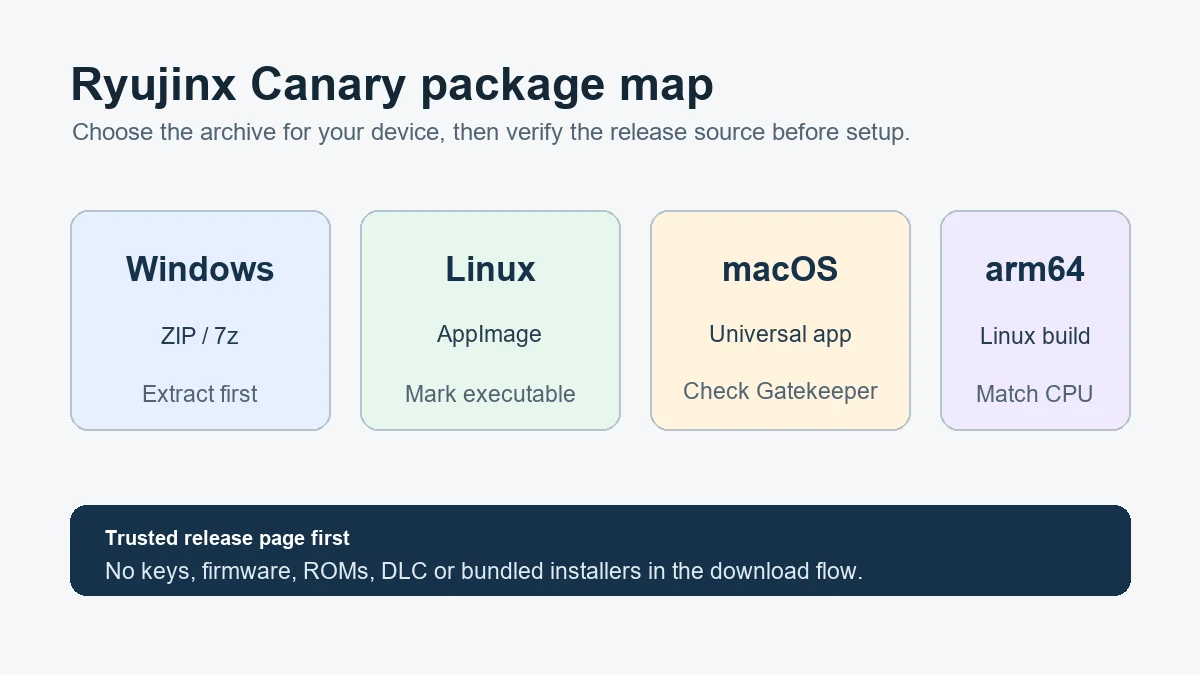
Use the package map as a quick check, then confirm the exact asset name on the official release page before downloading.
Latest Observed Ryujinx Canary Release
The official Ryubing Forgejo API reported Canary 1.3.341, published August 16, 2026. The release exposes verified Windows, Linux and macOS assets. Use the direct official links in the table and recheck the release page before a later update.
Choose Your Ryujinx Canary Download
Use the package that matches your operating system and CPU architecture. Avoid repacked installers and file-sharing mirrors, especially pages that bundle keys, firmware, games or unrelated software with the emulator.
For a Ryujinx Canary download on Windows, choose the package that matches your architecture and keep the previous working archive until the new build is tested.
Why the Release Source Matters
Download intent keywords attract many mirror pages, and some mix legitimate emulator links with risky bundled files. A safer Ryujinx Canary download page should clearly separate emulator builds from copyrighted setup files. Users should be sent to the release source for binaries, then to setup guidance for legal keys, firmware and game directory configuration. For the Ryujinx Canary download query, check the release tag, platform asset name and file extension before opening an archive; the official source should remain separate from keys, firmware and game files.
When Older Canary Versions Are Useful
Many searches include version numbers such as 1.3.269, 1.3.268 or 1.3.272 because users may be trying to roll back after a crash. Do not treat the newest Canary build as automatically best for everyone. Keep version guidance practical: note the latest observed build, explain why rollback can help, and remind users to keep a working archive until the new version is tested.
Choose the Correct Download Package
Windows users usually want the x64 ZIP unless they already prefer 7-Zip. Linux desktop users often start with the x64 AppImage, while manual installs can use tar archives. macOS users should choose the universal app archive and verify Gatekeeper prompts against the release page. arm64 Linux users must not download the x64 package by habit.
What This Download Page Should and Should Not Do
A good Ryujinx Canary download page should help users reach the correct release asset quickly, explain the difference between platform packages, and warn against bundled files. It should not pretend to be the emulator developer, repackage binaries without a reason, or offer keys, firmware, games, DLC or updates. This distinction matters because many users searching for Ryujinx Canary download are also evaluating whether a source is trustworthy.
After Downloading: First Checks Before Setup
Extract the archive into a user-writable folder, keep the original archive until the build works, and open Ryujinx Canary once before changing advanced settings. If you are updating, compare the new build with the previous build before editing keys, firmware, controller mappings or graphics options.
Why Users Search for Ryujinx Canary 1.3.269, 1.3.272 or Older Builds
Older version searches usually mean the user is troubleshooting a regression, following a video guide, or trying to match a setup that worked before. Treat those searches as rollback intent, not only download intent. The safest answer is to explain how to verify the current release, keep the previous archive, and compare one game on one build before replacing a working setup.
Safe Download Boundary: Emulator Builds Only
A trustworthy Ryujinx Canary download page should link to emulator release assets and nothing else. Do not bundle prod.keys, firmware, ROMs, DLC, game updates or patched installers. Users looking for setup files should be sent to legal setup guidance, not file-sharing mirrors.
Where to Download Ryujinx Canary From Ryubing
For download intent, the safest answer is the official Ryubing Canary release source or latest Canary redirect, not a mirror that repackages the emulator. Check the release tag, platform asset name and file extension before you choose Windows ZIP or 7z, Linux AppImage or tar, macOS universal app, or Linux arm64 packages. This page should answer “where to download Ryujinx Canary” while keeping setup files out of the download path.
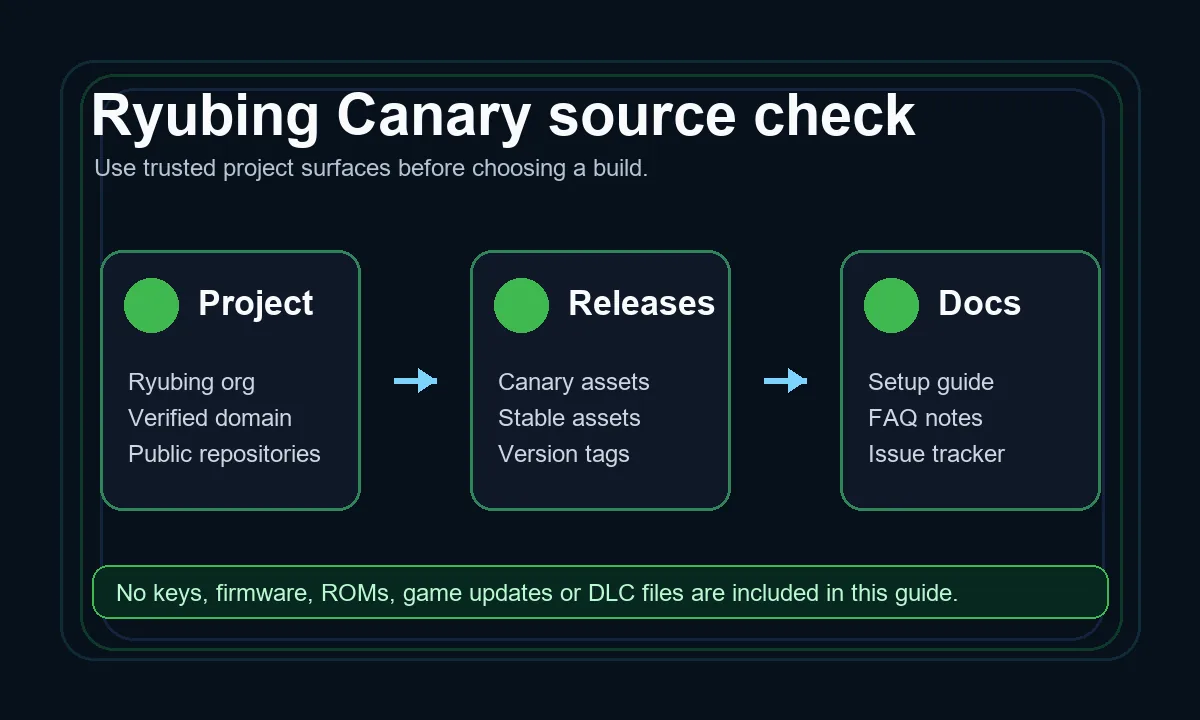
Verify the Ryubing source first, then choose the package that matches your platform.
GitHub, Git Releases and Mirror Pages Are Not the Same Thing
Some users search for “Ryujinx Canary download GitHub” even though current Ryubing release assets may be served from the Ryubing Git service rather than a GitHub repository. Treat that query as source-verification intent: compare the linked domain, release tag and file name before trusting a download button. If a page adds keys, firmware, ROMs, DLC or game updates to the same package, do not treat it as a clean emulator download.
Android APK Searches Need a Different Safety Boundary
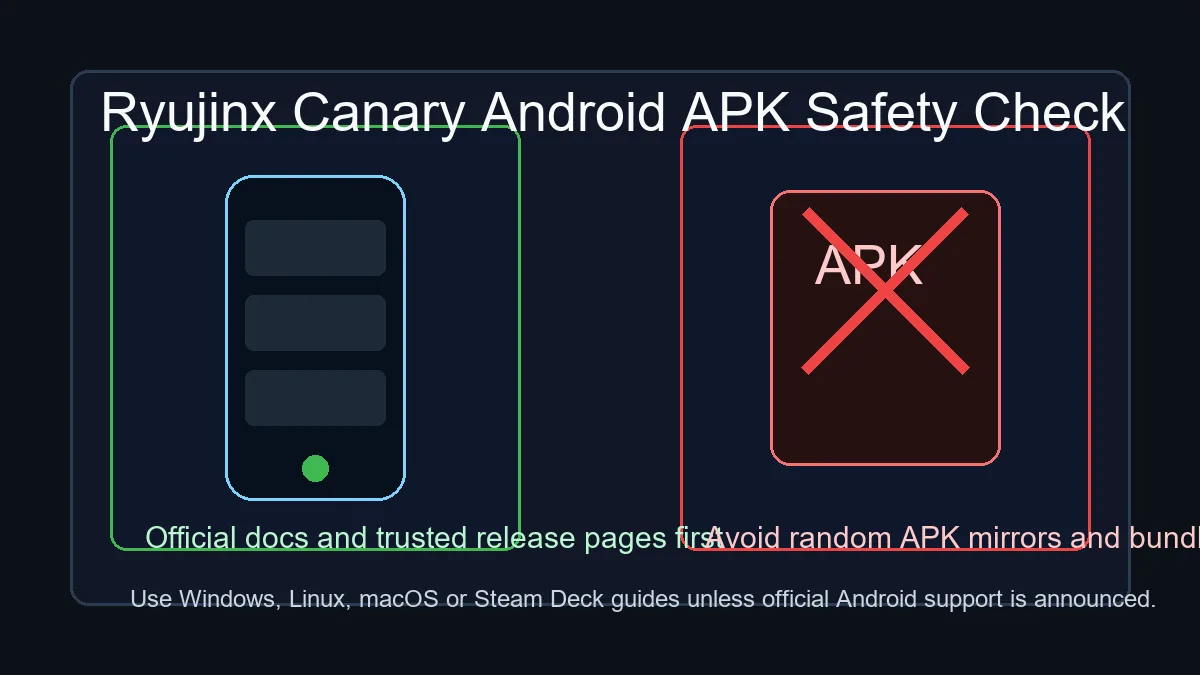
Ryubing APK and Ryujinx Canary APK searches should not be folded into the desktop download buttons. Unless official Android support is clearly announced by the project, APK files from random mirrors should be treated as unsafe claims. Use the Android APK safety page for that intent and keep this page focused on Windows, Linux, macOS and Steam Deck packages.
APK intent is handled as a safety check, not as a desktop download option.
Related Ryujinx Canary Guides
Continue through the setup path with these closely related pages.
The official Ryubing Forgejo API reported Canary 1.3.341, published August 16, 2026. The release exposes verified Windows, Linux and macOS assets. Use the direct official links in the table and recheck the release page before a later update.
Is this an official Ryujinx Canary download page?
This is an independent download guide. It should point users to trusted Ryubing release sources rather than rehosting emulator binaries.
Can I download Ryujinx Canary for Android?
Do not trust random Ryujinx Canary APK files unless official Android support is clearly announced by the project. Focus on Windows, Linux, macOS and Steam Deck builds.
Should I use Canary or Stable?
Use Canary if you want the newest changes and can troubleshoot issues. Use Stable if you prefer fewer surprises.
Why are there multiple Ryujinx Canary download files?
Different files target different operating systems, CPU architectures and archive preferences. Windows users usually choose ZIP or 7z, Linux users choose AppImage or tar archives, and macOS users choose the universal app archive.
Should I download the newest Canary build immediately?
Not always. Canary builds move quickly and may introduce regressions. If your current setup works, keep a backup before replacing it with the newest build.
Why should I avoid repacked Ryujinx Canary installers?
Repacked installers can bundle unrelated software or copyrighted files. A safer download flow uses release assets from the trusted Ryubing source and keeps setup files separate.
Can I roll back from Ryujinx Canary 1.3.341 to an older build?
Yes, if you kept the older archive or extracted folder. Test rollback with the same game and settings so you can tell whether the issue is a Canary regression, a driver problem, or a setup-file problem.
What is the latest Ryujinx Canary version right now?
The latest verified release tag in this update was 1.3.341 on August 16, 2026. Because Canary builds move quickly, verify the official release page again before treating any version number as current.
Which Ryujinx Canary file should I download?
Use Windows x64 ZIP or 7z on Windows, x64 AppImage or tar archives on Linux, the universal app archive on macOS, and arm64 packages only on arm64 Linux hardware.
Where should I download Ryujinx Canary?
Use the trusted Ryubing Canary release source or latest Canary redirect, then verify the release tag and package name before downloading. Avoid mirrors that bundle keys, firmware, ROMs, DLC, updates or unrelated installers.
Is Ryubing Canary the same as Ryujinx Canary?
Ryubing Canary is the active Canary release source discussed by this guide. Users often search both names, so the important check is whether the release page, tag and asset name match the trusted Ryubing source.
Should I use the GitHub result or the official Canary release page?
Use the official Ryubing Canary release page or the latest redirect linked here. A GitHub result may refer to an archived repository, a fork or documentation rather than the current platform packages.
Which Ryujinx Canary download should Windows users choose?
Most Windows users should choose the x64 ZIP package when they want a familiar extract-and-run workflow. Use 7z only if you already have a compatible extractor and understand the smaller archive format.
How do I update Ryujinx Canary when the release page shows many options?
Confirm your operating system and CPU architecture, download the matching package, close the emulator, preserve your user data, and replace only the application files. Do not mix Windows, Linux or macOS assets.
Which Ryujinx Canary download should I choose for Windows?
Use the verified Ryubing release page, then choose the Windows asset whose archive format and architecture match your setup. Confirm the release tag before downloading and do not use a repacked installer that bundles keys or firmware.