Archive the current build
Keep the latest app folder or package before testing an older one.
Old version and rollback guide
Use older Ryujinx Canary builds only with a clear reason: a regression, a guide tied to a build number, or a comparison against your previous working setup. Keep emulator files, saves, keys and firmware separated.
$ intent: old versions
$ verify: source first
$ test: same game scene
$ boundary: no bundled files
Independent guide. No emulator binaries, keys, firmware, ROMs, DLC, updates or game files are hosted here.
Keep the latest app folder or package before testing an older one.
Use a separate folder or AppImage so user data and saves are not overwritten.
Use the same scene, settings and controller profile for a fair comparison.
Record build numbers and symptoms before changing more variables.
Stay on the older build only if it clearly solves the regression.
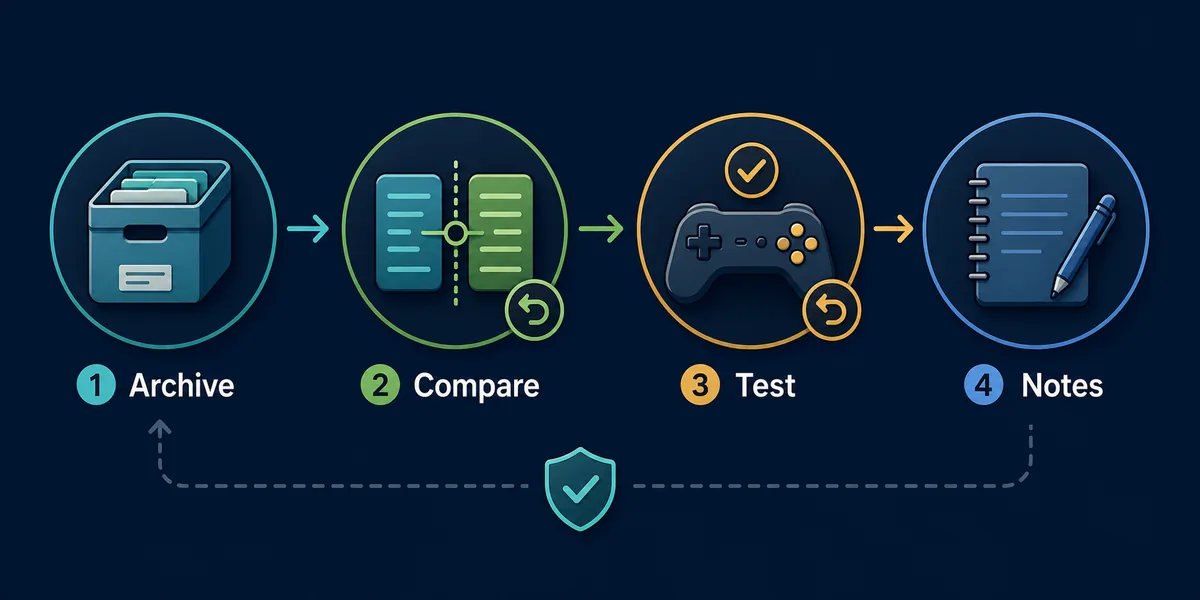
Archive, compare, test and record results before changing any other setup variable.
Ryubing Canary releasesIf you searched for Ryujinx Canary 1.3.269 or another older build, you are probably trying to reproduce a tutorial, undo a regression, or compare a version that once worked. That is a valid troubleshooting reason, but it should be handled like a controlled test. Keep the old archive, keep the current build, do not overwrite user data, and compare the same legally dumped game with the same settings before deciding which build to keep.
Canary builds move quickly, so users often search for exact tags after a video, forum post or compatibility note mentions a build. A version such as 1.3.269 may be useful as a historical reference, but search snippets and mirror pages can become stale. Treat exact version keywords as rollback intent: the reader needs source verification, archive safety and comparison steps more than a random download button.
Use the latest trusted build when you are setting up Ryujinx Canary for the first time and no regression is involved. Use the previous working build when a new Canary update breaks a game, controller profile, graphics behavior or startup. Use a named historical build only when a guide, compatibility note or bug report clearly requires that exact tag, and keep it separate from your normal app folder.
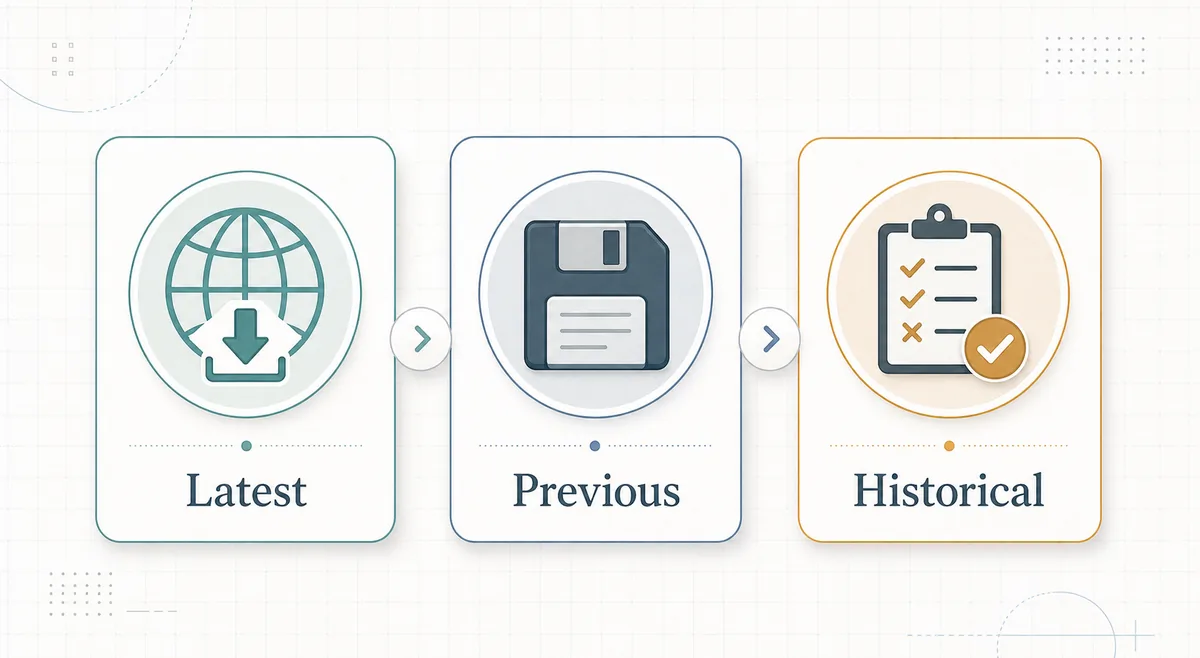
Start from a trusted release surface and compare the tag, asset name, operating system, architecture and file extension. Do not trust pages that bundle emulator files with keys, firmware, ROMs, DLC or game updates. If an older tag is missing from the trusted release list, do not replace it with an unrelated archive from a file-sharing page. A missing source is a reason to choose a nearby verified build or keep your current working setup.
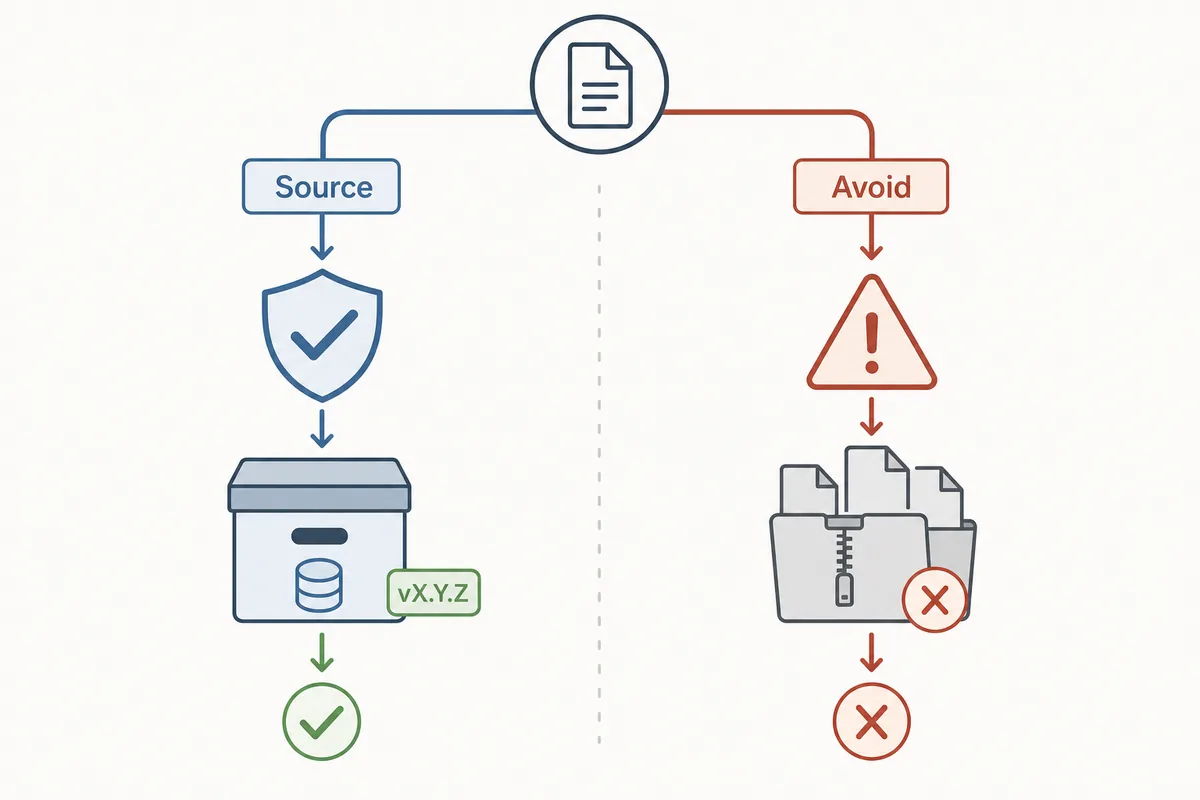
Rollback is safest when the emulator app folder is separate from user data. Close Ryujinx Canary, copy or move the new app folder aside, restore the previous extracted folder or AppImage, then launch one known-good title. Test the same save point, same graphics backend, same controller profile and same game update state. If the old build works and the new one fails, you have useful regression evidence. If both fail, the cause is likely outside the build number.
A version comparison is only useful when one variable changes. Do not replace prod.keys, firmware, games, DLC, updates, mods, saves, shader cache, controller mappings and graphics settings during the same test. This site does not provide copyrighted setup files, and a Canary rollback does not make web archives safer. Keep legal setup-file troubleshooting on the keys and firmware page, and keep crash symptoms on the crash guide.
Windows users should keep old ZIP or 7z folders outside protected locations and avoid extracting over a running app. Linux and Steam Deck users should keep the previous AppImage or tar folder and recheck execute permissions after switching. macOS users should keep the previous app archive and verify Gatekeeper prompts against the source. On every platform, name folders clearly so you know which build is being tested.
An older build is useful when it proves a regression, matches a documented compatibility note or lets you finish a game while waiting for a newer fix. It is not the right answer when the real issue is a bad dump, missing setup files, outdated GPU driver, wrong platform package or random mirror download. Use the table below to keep the decision grounded.
| Situation | Old version fit | Safer next step |
|---|---|---|
| New build crashes but previous build works | Strong | Keep the previous build and monitor the next release. |
| A guide names 1.3.269 | Conditional | Verify the source and test in a separate folder. |
| Every build fails to boot the same game | Weak | Check setup files, game integrity, drivers and platform notes. |
| A mirror offers an all-in-one package | Unsafe | Avoid it and return to trusted release/source guidance. |
Write down the build tag, download source, operating system, GPU driver, game title, game version, firmware state if relevant, graphics backend, controller profile and exact scene tested. Good notes help you decide whether to stay on the old build, try a newer build later, or report a regression without sharing private files or copyrighted content.
Verify project identity and release surfaces before trusting a claimed old build.
No. This page explains how to evaluate old builds and rollback safely, but it does not host emulator binaries or copyrighted files.
Not automatically. Older builds can avoid one regression but miss later fixes. Use them for comparison or temporary rollback, not as a permanent default without a reason.
It should not if your app folder and user data stay separate. Still, back up important saves before testing any build change.
No, not unless a visible setup error specifically points to legally dumped setup files. Change only the emulator build during a rollback test.
Do not substitute a random mirror. Use a verified nearby build, keep your working setup, or wait for a newer fix.